Project references through your camera view
Built for people who want a simple path from idea to real drawing practice on iPhone or iPad.
drawing projector app
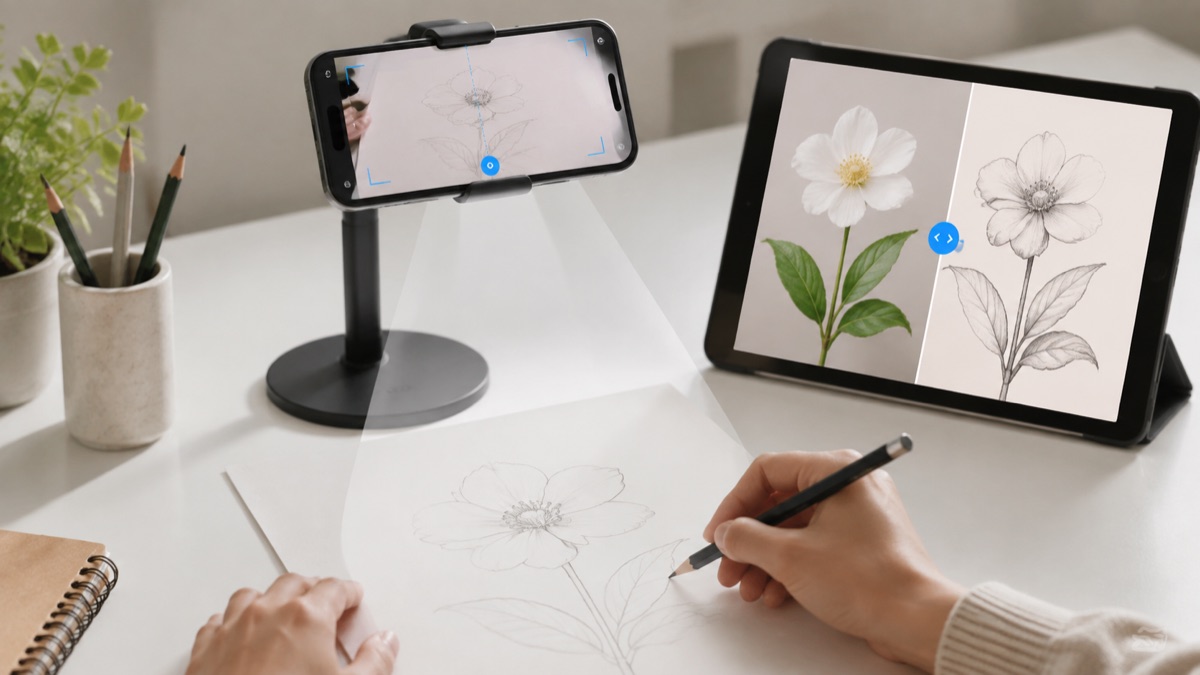
The drawing projector query is valuable because it describes the physical setup users want: phone, paper, reference image, and a cleaner drawing result.
Real drawing videos
See short @howtodrawapp demos before you install: AR tracing, drawing projector setup, photo-to-sketch practice, anime sketches, and real paper drawing workflows.
Built for people who want a simple path from idea to real drawing practice on iPhone or iPad.
Built for people who want a simple path from idea to real drawing practice on iPhone or iPad.
Built for people who want a simple path from idea to real drawing practice on iPhone or iPad.
Drawing workflow
A phone-based projector workflow gives users a practical way to place a drawing reference on paper without buying extra hardware first.
Using a phone as a practical camera projector for outlines.
Scaling a sketch onto paper before finishing by hand.
Practicing tattoo stencils, anime poses, portraits, and craft drawings.
Replacing an expensive hardware projector for casual drawing practice.
Powerful, but expensive and overkill for many beginners.
Interesting for artists, but niche and less familiar for casual users.
Turns the phone into a lightweight projector-style drawing aid with an App Store install path.
Users comparing drawing projector tools
People who want a cheaper setup than hardware
Artists placing outlines on paper before finishing by hand
Users who need a wall-scale hardware projector
People expecting the phone to cast light like a real projector
Use bright room light and a steady phone position.
Scale the reference before starting the outline.
Finish shading after the projected guide is no longer needed.
Projector-style drawing is about placing an image on paper, following the important lines, and finishing a better drawing faster.
Use a steady stand, bright room light, and tape the paper if needed. Start with large outlines, then draw details after the main proportions are locked in.
The workflow focuses on one drawing goal and keeps the App Store action clear on desktop and mobile.
Open the app, pick one reference, trace the structure, then repeat the same subject without tracing. That creates learning, not just copying.
Yes. The app uses the camera screen as a practical projector-style drawing guide.
No. It is an AR/camera guide, which is cheaper and easier for paper drawing practice.
Yes. Simple outlines and stencil-like references are a good fit.
The workflow is designed around making references easier to follow while drawing.
Open the app, choose a reference, place the phone steadily above the paper, and begin with the largest outline.
Start with the guide that matches this search, then try the kids drawing article for simple ideas parents and young beginners can use today.